 Popcorn
01 / MOVIES
Make a movie night.
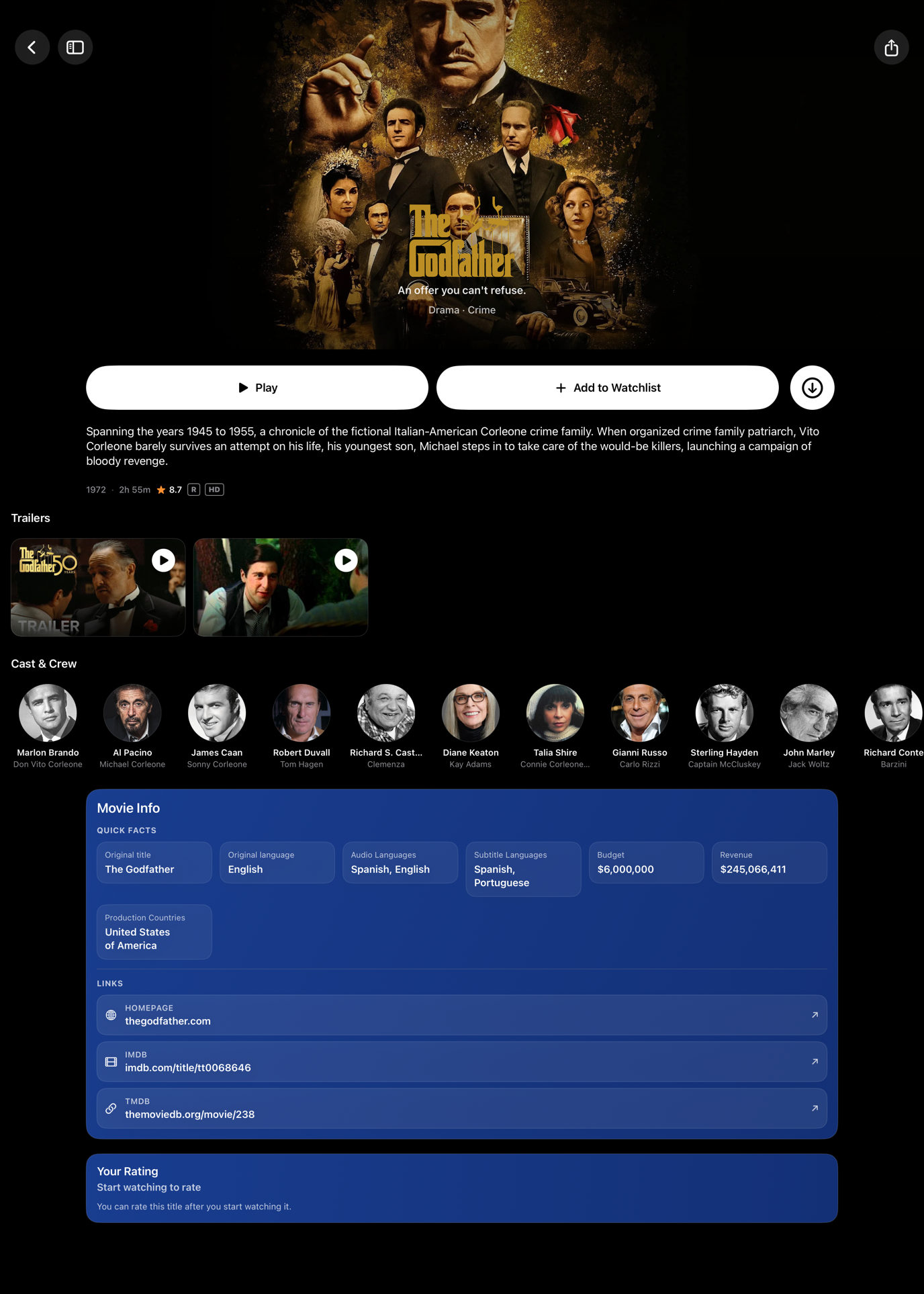
Explore your library, find a recommendation, and watch a trailer before you commit. The cast, story, and details are right there.
Movies. Shows. Live TV. Yours.
Big-screen stories. One more episode. Whatever’s on tonight. Bring it all together with Popcorn, a native app for your Apple devices.
macOS Tahoe 26 or later · Apple silicon · Version 2.53
43.2 MB ZIP · Testing build, not notarized
One Popcorn. All your favorite screens.
Settle in. Press play.
From the movie you’ve been meaning to see to the channel you always come back to. It’s all in one place.
Explore your library, find a recommendation, and watch a trailer before you commit. The cast, story, and details are right there.
Browse seasons and episodes, keep your favorites close, and jump back into the story with Continue watching.
Browse channels, check program information, and save your favorites. Find something on now and tune right in.
My Popcorn
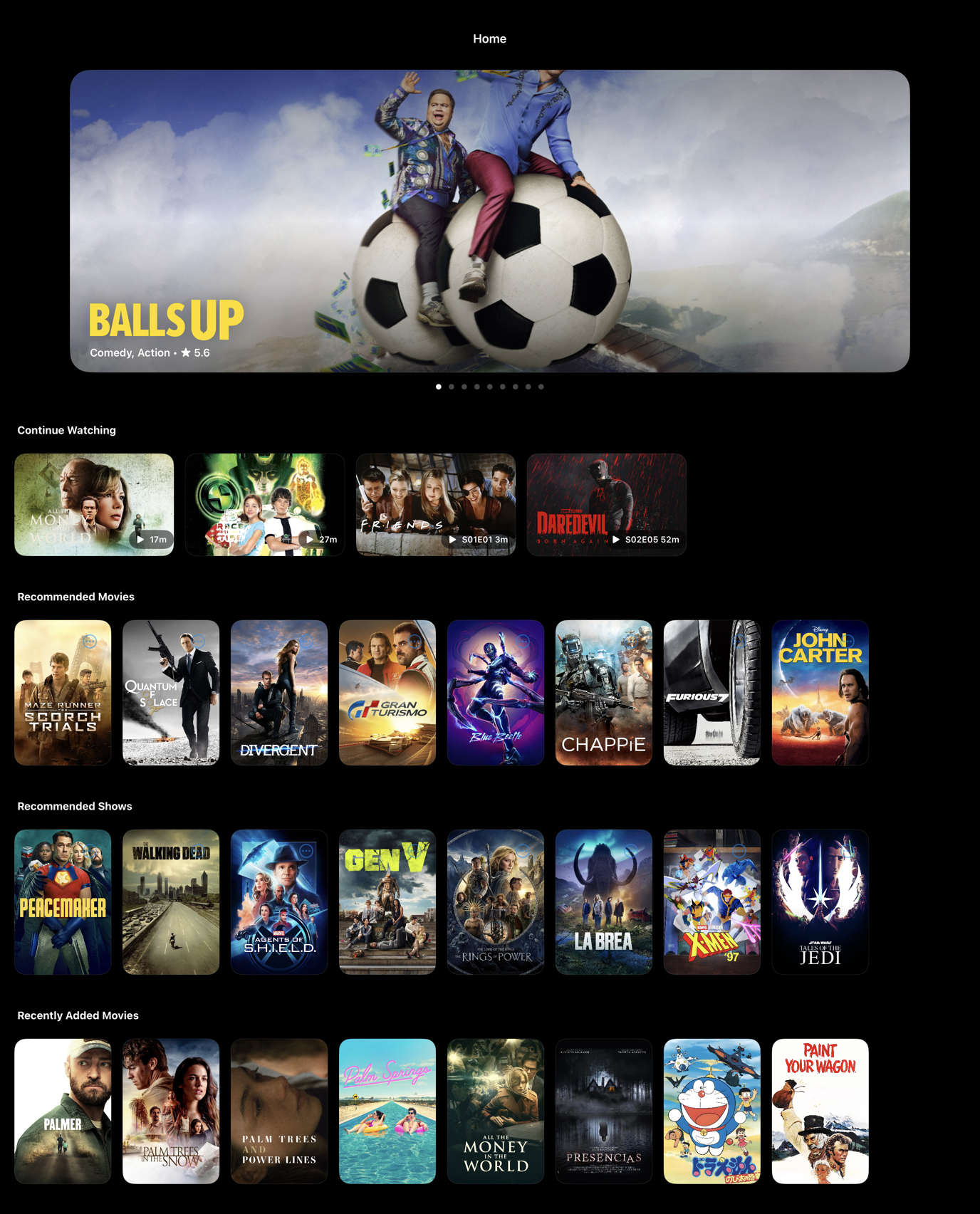
Keep the stories you love close, and give the next great find somewhere to land.
Continue watching puts unfinished movies and episodes within reach. Your history keeps track of the stories you’ve seen.
Save movies and shows as you discover them, so choosing your next watch starts with your own shortlist.
Search for something specific, browse recommendations, or request a title you’d like added to your library.
Download movies and episodes on iPhone, iPad, and Mac for offline viewing. Your next watch can come along for the ride.
Choose from available audio tracks, subtitles, quality options, and playback speeds. Make the player feel right for you.
Native by nature
Made for the way you use each device. From a quiet moment on your phone to the best seat in the living room.
A little screen for big stories. Browse, watch, and take downloads with you.
Room to explore. Rich artwork and a library made for a more relaxed browse.
The living-room experience. Movies, shows, and Live TV on your biggest screen.
A proper desktop app. Settle into a movie, manage your library, or watch offline.
This website offers the Mac testing build. Access to iPhone, iPad, and Apple TV builds is managed separately by your Popcorn administrator.

Your next movie night starts here
A native home for your movies, shows, and Live TV. Download the latest testing build and make a night of it.
Apple silicon (M1 or newer) · macOS Tahoe 26 or later
Development-signed testing build · Not notarized
Get the ZIP, then double-click it in your Downloads folder to extract the app.
Drag Popcorn2 macOS into your Applications folder so it’s ready for your next movie night.
Choose your server in Settings and sign in with your Popcorn account. macOS may block this testing build; review the app security note before opening it.
Good to know
A Popcorn account and access to a Popcorn server. Choose your server in the app’s Settings, then sign in. The movies, shows, channels, and available playback options depend on your server’s library.
You need macOS Tahoe 26 or later and Apple silicon (M1 or newer). This download does not support Intel Macs. Check your chip and macOS version in Apple menu → About This Mac.
You can download movies and episodes in the iPhone, iPad, and Mac apps for offline viewing. Download them while you’re connected, then open them from Downloads. Live TV needs an internet connection, and offline downloads are not offered on Apple TV.
Popcorn has native apps for iPhone, iPad, Apple TV, and Mac. This page provides the Mac testing build; contact your Popcorn administrator for access to the other builds.
Version 2.53 (build 53) is a development-signed testing build. It is not notarized by Apple, and macOS may block it from opening. Review Apple’s app security guidance before deciding whether to open it.